What does your GitHub contribution graph say about you?
If you’re like me, it says you write code. You commit features, fix bugs, refactor messy functions. Some weeks the graph lights up green. Other weeks? Dark, empty squares that whisper “where were you?”
But here’s the thing: those empty weeks? I wasn’t idle. I was running. Cycling. Pushing myself physically in ways that took just as much discipline—maybe more—than writing clean code. I was growing, just not in a way GitHub could see.
And that bothered me more than it probably should.
The Invisible Work
Autumn, 2025. I’d just changed jobs, and like anyone in a period of transition, I was doing a lot of reflecting. Am I growing? Am I better than I was last year?
The answer was yes—but not in the ways I expected. Sure, I was coding at work, building features, solving problems. But I’d also committed myself to something else: taking care of myself. Morning runs tracked on my Pixel Watch 2. Gym sessions, strength training, actual consistent exercise for the first time in… well, let’s not count the years.
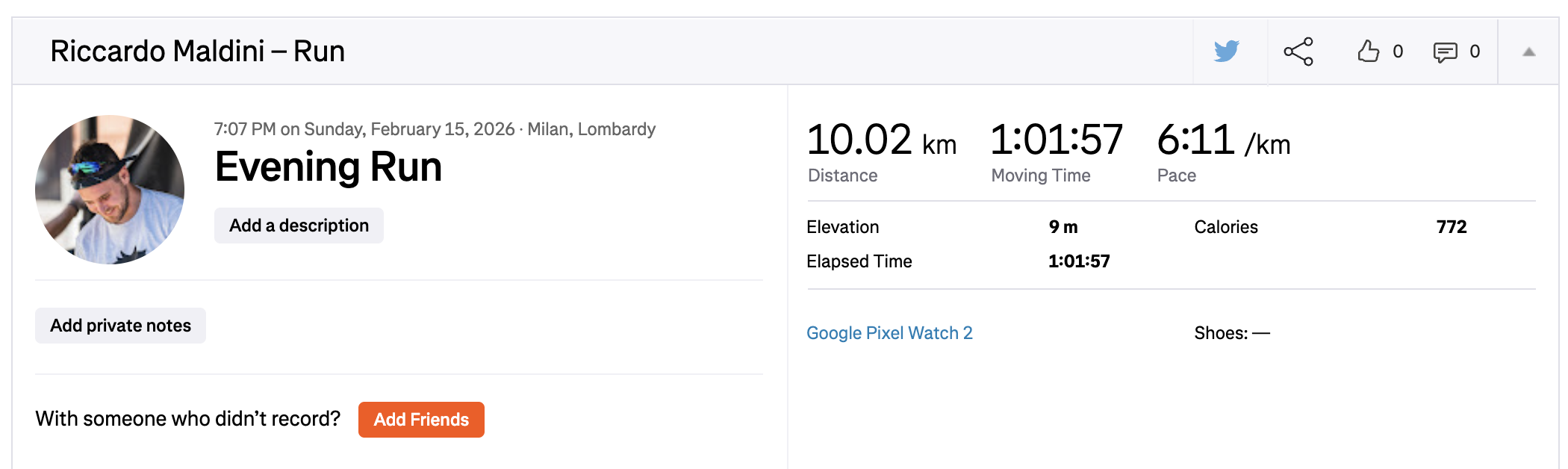
I’d track everything with Fitbit—runs syncing over to Strava, gym sessions logged, movement counted. I’d watch the stats tick up, feel good about my progress. Then I’d check my GitHub profile and see… nothing. Just the commits from work. The personal projects that fell by the wayside because I was, you know, actually living my life.
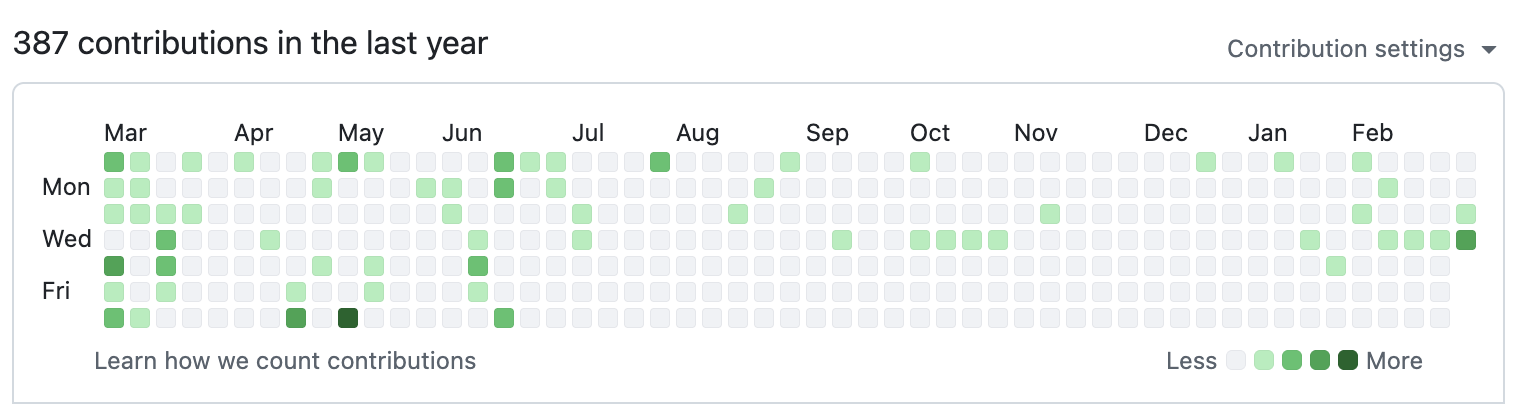
Here’s what I realized: as a developer, those green squares actually matter to me. Not in a “gaming the system” way, but in a genuine “visible progress is motivating” way. When I see a solid week of commits, it feels like proof I showed up. It’s tangible evidence of effort invested.
So why shouldn’t my morning 5K count?
The Programmer’s Reward Problem
Let me be honest about something: caring about your GitHub contribution graph is a little silly. It’s vanity metrics. It can be gamed. It doesn’t actually measure quality or impact.
And yet.
We’re programmers. We respond to feedback loops. We like seeing things work. When you write code, push a commit, and see that green square appear—there’s a tiny dopamine hit. “I did something today.”
For months, I’d been doing plenty of things. But GitHub didn’t know that. My contribution graph told a story of inconsistency, of sporadic effort. It didn’t show the 6 AM wake-ups, the kilometers logged, the discipline maintained.
I wanted those green squares to tell a fuller story. Not just what code I wrote, but what kind of person I was becoming.
That’s when the idea clicked: What if I could sync my fitness activities to GitHub? Runs, gym sessions, all of it. Every form of self-improvement deserves a green square.
GitFit: The Solution I Didn’t Know I Needed
The concept was surprisingly simple:
- Fetch my latest activities from a fitness tracking API
- Create commits in a private GitHub repository for each activity
- Let those commits show up as green squares on my public contribution graph
- Keep the actual workout data private (because nobody needs to see my pace per kilometer—trust me)
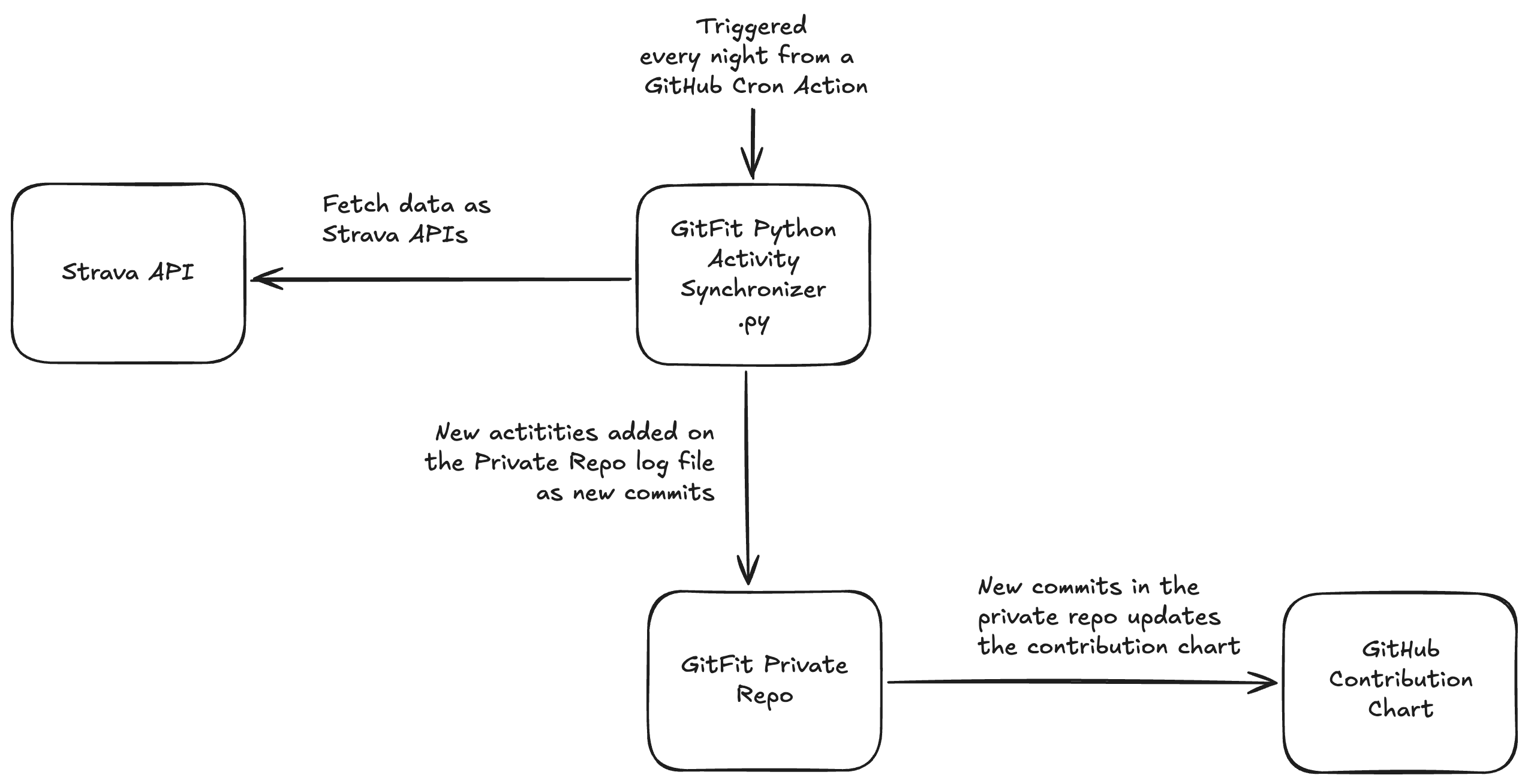
I started with Strava as the first integration—their API is well-documented and straightforward to work with. But the vision is bigger: eventually adding Fitbit, Google Fit, whatever system I’m using to track my gym sessions and runs. For now, my Pixel Watch 2 logs runs via Fitbit, which syncs to Strava, which GitFit picks up. (Yes, that’s a lot of sync chains. Welcome to the modern fitness tracking ecosystem.)
The beauty of this approach? My workout data stays completely private, locked away in a repo only I can access. But the fact that I worked out? That shows up. One green square per activity. Or two, or three, or five—depending on how far or long I went.
Because yes, a 2K recovery jog and a 20K long run should probably count differently.
I built the whole thing with Python and GitHub Actions. Every day at 6 AM UTC, a workflow spins up, checks Strava for new activities, and creates corresponding commits. The code lives in a public repo on GitHub—open source, because why not?
(Strava first, Fitbit and Google Fit integration coming eventually. One API at a time.)
The setup takes maybe 10 minutes if you follow the README. You need:
- A Strava account (obviously)
- Two GitHub repos: one public for the code, one private for the commits
- A handful of API tokens and secrets
- The willingness to enable “Show private contributions” on your GitHub profile
And then? It just works. Every run, every ride—automated, synced, visible.
The Bigger Picture
I know how this sounds. “You built an automation to make your GitHub graph prettier? Really?”
Yes. Really. But it’s not about the graph.
It’s about recognizing that growth happens in more ways than we often give ourselves credit for. It’s about creating systems that remind us to value the effort we’re investing in becoming better—not just better developers, but better humans.
We spend so much time optimizing our code, our workflows, our productivity. Why not optimize for the things that actually matter? Health. Balance. Sustainability.
GitFit is absurd in the best way. It’s a deeply technical solution to a fundamentally human problem: the need to feel like we’re making progress. That we’re not standing still.
If you’re someone who responds to visible metrics—and if you’re reading a programmer’s blog, you probably are—then maybe you need your own version of this. Maybe it’s syncing your reading goals, your creative projects, your volunteer hours. Whatever form of growth you’re investing in that doesn’t naturally show up in the places you look for validation.
Build the thing that lets you see your own effort.
Because when your GitHub contribution graph finally reflects the full picture of how you spent your time, you might discover something surprising: you were doing better than you thought all along.
GitFit is open source and available on GitHub. The setup takes about 10 minutes, and it’s compatible with any Strava account. Your workout data stays private—only the commits show up.